
Responsive Travel Site
GreatPinesFishCamp.org
This travel website is built with a clean, modern front-end architecture that highlights responsive design at every breakpoint, ensuring an excellent experience on phones, tablets, and desktops:
- A sticky header, adaptive logo, and fluid images keep navigation clear and the brand visible as visitors explore, while subtle scroll-triggered fade-ins bring each section to life.
- The layout is crisp and intuitive, using engaging colors, thoughtful spacing, and a UX flow that guides guests naturally through camp history, amenities, and trip details.
Under the hood, the site is crafted with HTML, CSS, JavaScript libraries, Font Awesome, and Webpack for efficient bundling and performance.
Deployment is handled through DreamHost with a smooth Git/GitHub workflow for version control and easy updates.
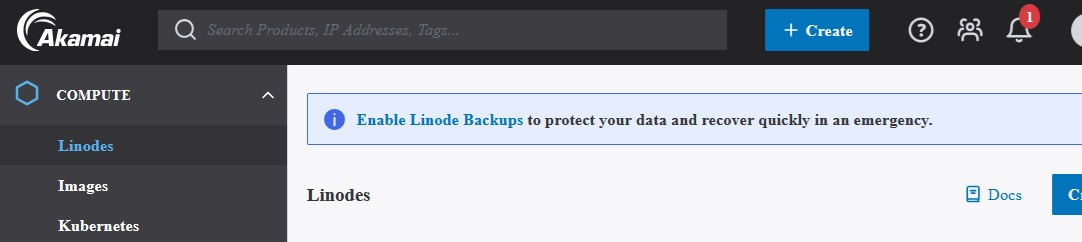
Cloud Hosting with Linux and NGINX: A Linode Implementation
Scalable, Secure Website Hosting with Linux, NGINX, and SSL on a Budget
Introduction
Have you ever wished you could host a few sites of your own? Not just website builders and prepackaged shared hosting plans, but on your own cloud server? It doesn’t have to break the bank!
Akamai offers a Virtual Server for $5/month (Linode/Shared CPU) where you can install Nginx (engine-x) and serve up your sites!
Here’s how:
Audience
These steps assume a basic understanding of getting around on Linux and Windows using a shell/terminal command line interface (or willingness to google!). Understanding of commands like cd (change directory), ls, mkdir, and sudo commands is assumed.
Domains
Choose your domain names and register them at your favorite DNS registrar. (I like hover.com which has good options for about $25 annually with privacy, and an email box can be added if desired.)
e.g. name-of-site.com and example-site.org
(Note: In this post, <name-of-site.com> should be replaced with the actual domain name without the brackets.)
Akamai.com Account at Linode.com
Create an account at linode.com (akamai).
Provide a credit card for account creation which is not charged until you requisition services. (There is a bit of a wait here while the account is approved.)
Linode
- Create a new 'Linode' using ubuntu 24LTS, shared CPU - $5/mo. plan
- Choose the nearest location.
- You can choose a new name for the VPS Server, or just leave it as it is.
- Set a secure root password. I went to lastpass.com and typed in a favorite phrase to get a hash-style password. You can choose how many characters it will be.
- Start the Linode.
- Make a note of the IP address that is listed in the SSN line.
Set up Nginx
- Log into new requisitioned server using a local command line/terminal window/powershell:
ssh root@<your-new-Linode-IP-address-here>
(When prompted, provide the root password chosen when setting up the Linode.)
- Load the nginx web server
...
<Article has been shortened for portfolio display.>
Introduction
Have you ever wished you could host a few sites of your own? Not just website builders and prepackaged shared hosting plans, but on your own cloud server? It doesn’t have to break the bank!
Akamai offers a Virtual Server for $5/month (Linode/Shared CPU) where you can install Nginx (engine-x) and serve up your sites!
Here’s how:
Audience
These steps assume a basic understanding of getting around on Linux and Windows using a shell/terminal command line interface (or willingness to google!). Understanding of commands like cd (change directory), ls, mkdir, and sudo commands is assumed.
Domains
Choose your domain names and register them at your favorite DNS registrar. (I like hover.com which has good options for about $25 annually with privacy, and an email box can be added if desired.)
e.g. name-of-site.com and example-site.org
(Note: In this post, <name-of-site.com> should be replaced with the actual domain name without the brackets.)
Akamai.com Account at Linode.com
Create an account at linode.com (akamai).
Provide a credit card for account creation which is not charged until you requisition services. (There is a bit of a wait here while the account is approved.)
Linode
- Create a new 'Linode' using ubuntu 24LTS, shared CPU - $5/mo. plan
- Choose the nearest location.
- You can choose a new name for the VPS Server, or just leave it as it is.
- Set a secure root password. I went to lastpass.com and typed in a favorite phrase to get a hash-style password. You can choose how many characters it will be.
- Start the Linode.
- Make a note of the IP address that is listed in the SSN line.
Set up Nginx
- Log into new requisitioned server using a local command line/terminal window/powershell:
ssh root@<your-new-Linode-IP-address-here>
(When prompted, provide the root password chosen when setting up the Linode.)
- Load the nginx web server
...
<Article has been shortened for portfolio display.>
Full-Stack JavaScript Web Applications
Modern, fast, and scalable applications built with Node.js, Express.js, REST APIs, and responsive front-end interfaces.
Introduction
Interested in making a web app to deploy to the cloud for free? It's doable!
Here are two web apps: The first is a very simple proof-of-concept while the second is more robust and includes socket functionality for a chat feature. Both use free MongoDB Atlas database access, Express.js, the Node JavaScript environment, and both are deployed with a free Render.com account and GitHub. Read on for an overview of each app and some notes on the MongoDB-Express-Node architecture involved!
Web App Functionality
Of the two web apps, the first is a simple To-Do app that stores ‘items’ for a To-Do list in a MongoDB collection and performs CRUD (create-read-update-delete) operations on the items.
Simple To-Do App
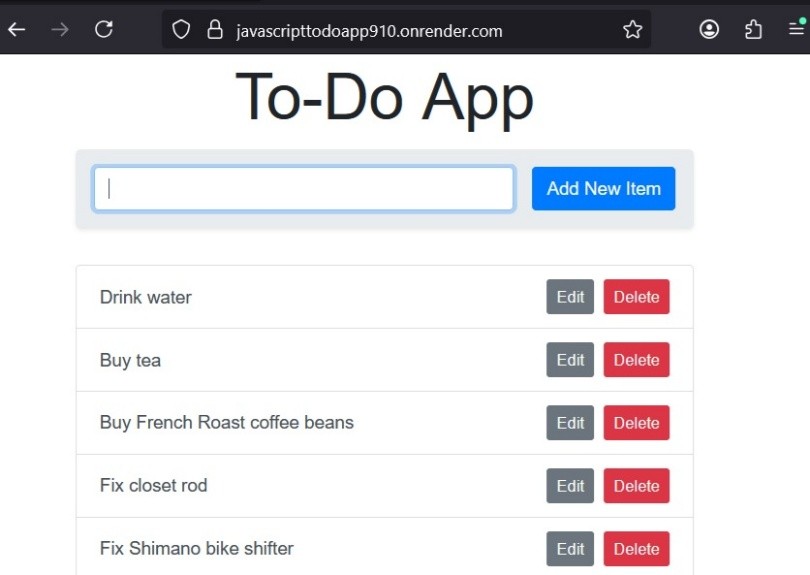
This web app has:
A simple response authorization prompt that provides security
1 page - 1 form - 1 field - 1 submit button
To the right of each task are edit and delete buttons where, as expected, clicking edit pops up a dialog box for entering changes, while clicking delete pops up an 'Are you sure?' prompt that results in a cancel or commit.
Simple functionality: enter a task in the field, click submit, and the task is added to the bottom of the list.
Why start so simple? As a proof-of-concept, this app is database-connected, cloud-deployed, and built in the Node environment with Express.js.
Complex Web App
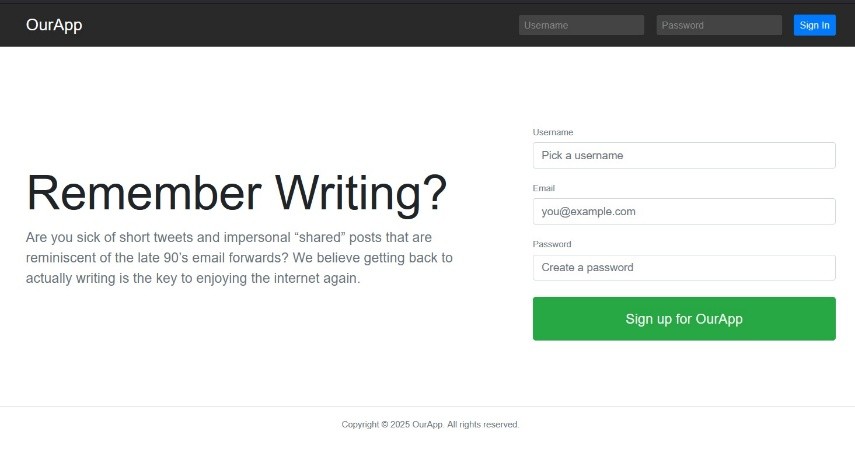
The second app described below is a more complex implementation that provides Registration and Login, a Live Search feature, a Following/Followers/Feed mechanism, a socket-based Chat feature, and the standard (but text-only) Post creation/updating/deletion behavior experienced on social networking sites. Additionally, emails can be sent on post creation or other transactional triggers.
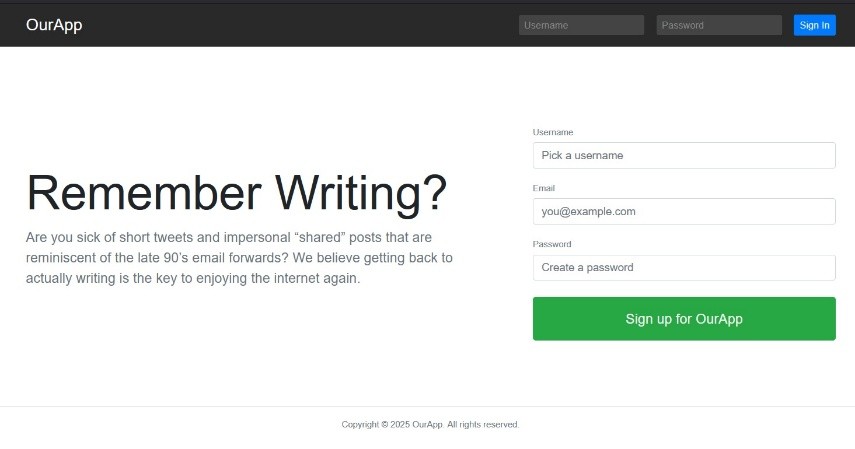
Registration/Login page where sessions/users are persisted to a MongoDB collection.

Home page dashboard includes a user feed from followed accounts.
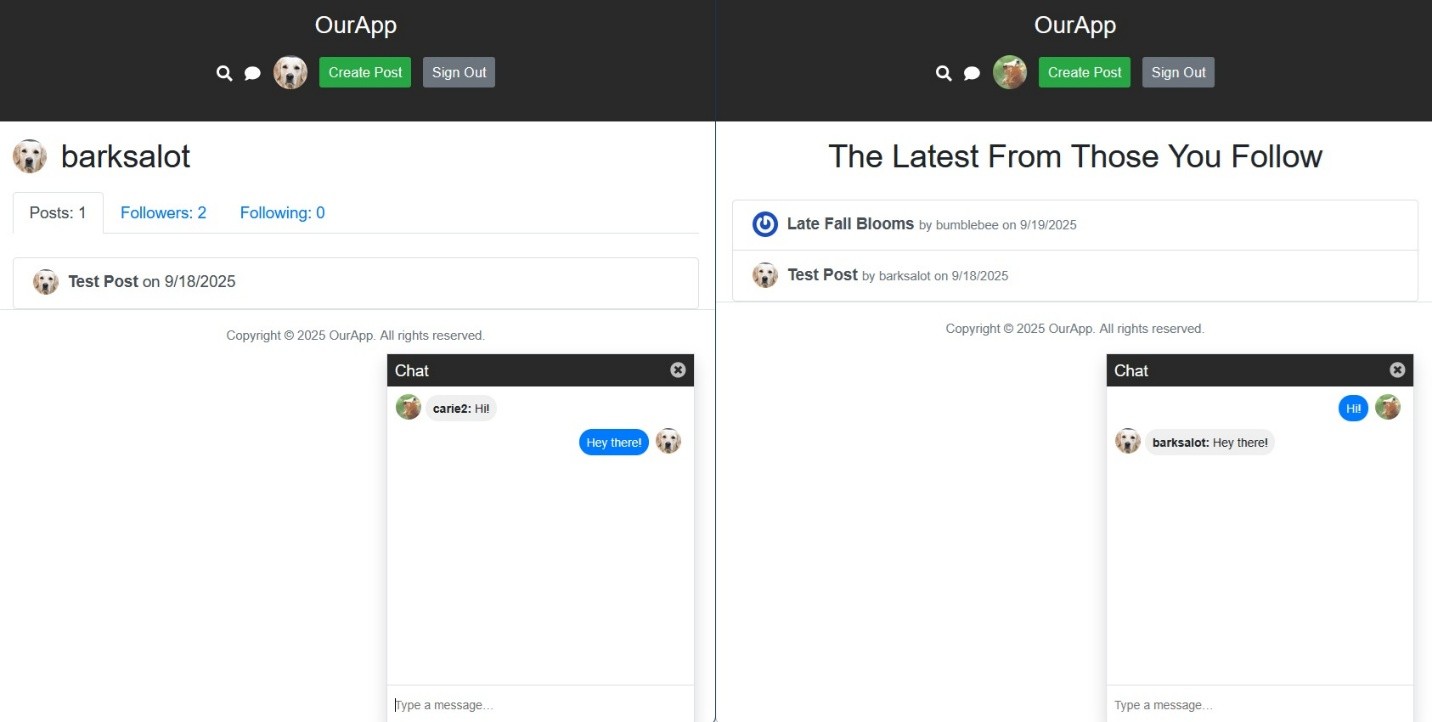
Chat feature implements socket.io library
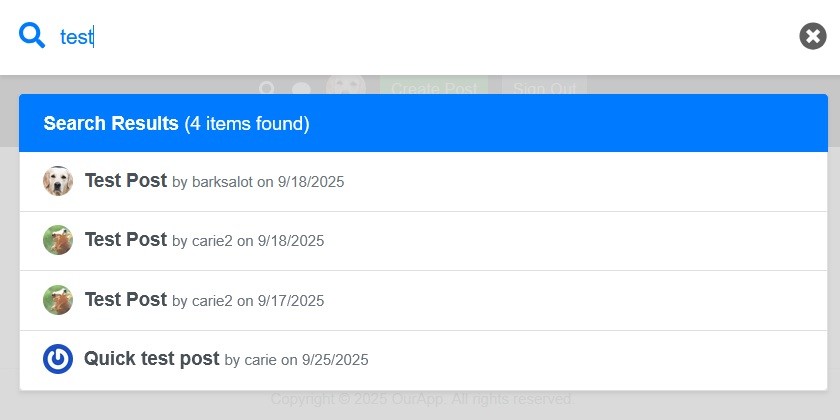
Live Search overlay with test results
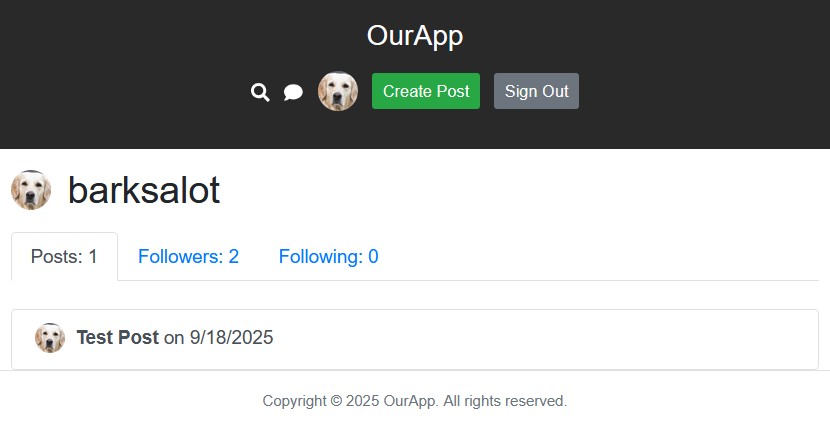
Profile page: Posts, Followers, Following Lists
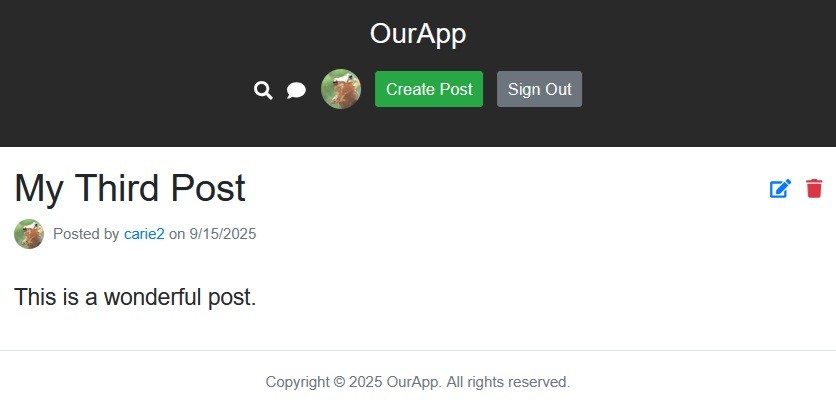
Posts - Create, Read, Update, Delete
Architecture
<Article has been shortened for portfolio display.>

LAMP Server Build Project
Building a Fully Custom Hosting Environment for WordPress
This project grew out of frequent work with WordPress sites and a desire to gain full control over the hosting environment. Using repurposed hardware, we installed Ubuntu 22.04 LTS (Server and Desktop) and manually built a complete LAMP stack—Apache, MySQL, and PHP—on top of it. Once the stack was configured, we deployed multiple self-hosted WordPress instances, each served locally across our network after client machines were updated with the appropriate hosts-file entries.
Throughout the build, we referenced a variety of technical resources, including Linux command guides, WordPress migration tutorials, and Apache virtual-host configuration articles from PhoenixNAP, DigitalOcean, and Ubuntu. The completed setup delivered several fully functional WordPress sites running from a single Ubuntu server on our LAN.
Resources Used
- phoenixnap.com — Linux Commands Cheat Sheet
- atmos.albany.edu — vi Editor Cheat Sheet
- spiceworks.com — Migrating WordPress from Dev to Prod on LAMP
- spinupwp.com
- DigitalOcean — Installing WordPress on Ubuntu; Setting Up Apache Virtual Hosts
- ubuntu.com — Install & Configure WordPress Tutorial